First, explain what it actually is.
Features, prices and technologies in adjacent categories are easy to confuse. Differences need explaining without using unconfirmed specifications to construct an “advantage.”
Bella—
From the initial brief through product research, FAB, campaign strategy, copy and TVC, followed by post-launch operational improvements.
A record of marketing work that continued through real feedback, beyond a single polished generation demo.
Explore the full workflowThe visual comparisons show one part of the work. The larger story is how a judgment made in one stage shapes the next stage’s output.
Continue below ↓01 / THE ASSIGNMENT
This project served creators and small studios. The product combined hardware, materials, software and multiple ways of creating, so the marketing challenge extended well beyond writing good copy.
Features, prices and technologies in adjacent categories are easy to confuse. Differences need explaining without using unconfirmed specifications to construct an “advantage.”
Creators care about expressive freedom, small-business owners about orders and workflows, and first-time users about learning to use it. One specification sheet cannot answer everyone.
Product information, pages, FAQs, ads, livestreams and films are connected work. Feature names, limits on promises and core selling points need ongoing alignment.
Continuously organize product and market information, turn facts into marketing judgments and judgments into usable assets, then use team feedback and post-launch questions to revise the next round of work.
02 / THE WHOLE WORKFLOW
The workflow below is reconstructed from project records, with client and commercial information removed. Expand each stage to see its inputs, key judgments, actions and influence on the next step.
Turn a request for a keyword sheet into the starting point for later marketing work.
Key value: turn an isolated request into a working brief that later tasks can keep using.
Move from search summaries and internal selling points to complete specifications and category standards.
Key value: feedback changed the standard for future research as well as the document.
Explain who benefits from a feature and why it matters.
Key value: translate “what our product has” into “why this type of customer cares.”
Search captures intent, content builds understanding, and demonstrations answer questions.
Key value: connect content, the customer journey and channel actions in one working plan.
Every touchpoint shares the facts while answering different questions.
Key value: help customers understand while reducing repeated explanations and contradictory messages across channels.
Check whether each selling point appears in the visuals, on-screen text and voiceover.
Key value: retain the original script’s strengths while helping the film carry more of its marketing task.
Make settings, actions, shot details and emotion concrete.
Key value: turn abstract feedback into visible creative references people can point to and revise.
Carry the work from promotional content into answering questions and maintaining versions.
Key value: the product understanding built earlier continues to serve real user feedback.
03 / MARKETING JUDGMENT
Producing a table is straightforward. The harder question is whether it shapes the message, channels, page and shots, helping the team decide what to say first, to whom and with what evidence.
THE STRATEGY CHAIN
A real correction
“The competitor comparison needs more dimensions.”
Paraphrased from project feedback, not a chat screenshot or verbatim quotation.
After this feedback, Bella’s task was to rebuild the comparison method, beyond adding a few favorable specifications.
These anonymous examples follow the project’s working method; they are not direct copies of the client’s original table. Switch between three typical capabilities.
Begin modeling with an existing photo or image, reducing the steps needed to start from a blank canvas.
Creation, model preparation and output form a workflow rather than a list of separate software names.
Give non-specialists an understandable first step that addresses their concern about whether they can model.
Show a continuous “photo → model → finished object” process, explaining which steps still need manual work. The film demonstrates the process; the FAQ explains the conditions of use.
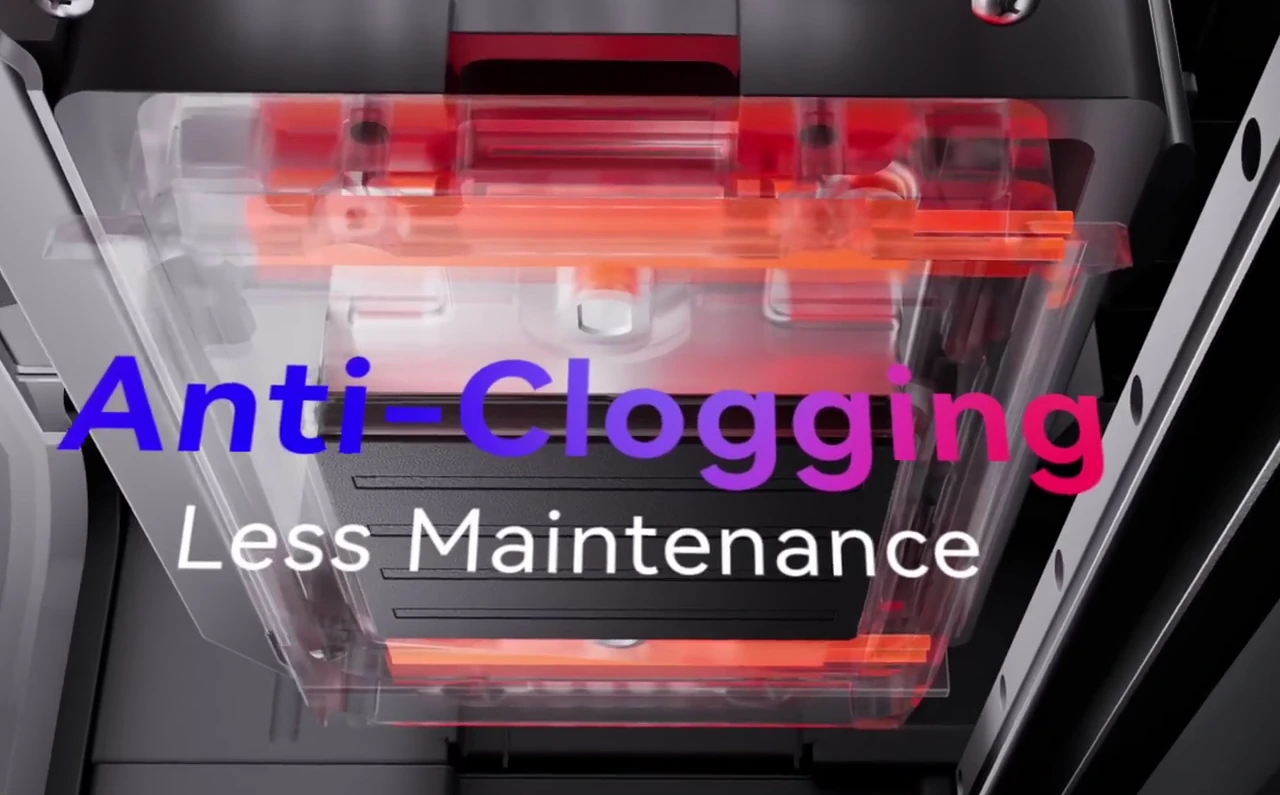
The original draft grouped several maintenance technologies together, packing in information without making it easy to understand.
Connect each technical mechanism to the problem it addresses, without implying that automation eliminates maintenance.
Studios care about preparation for the next job and continued operation, beyond the names of individual features.
A mechanism animation plus a clear statement of the practical benefit. Detailed FAQs explain cleaning modes, idle-period maintenance and consumable use, without promising that clogging can never occur.
Different substrates, accessories and production formats serve different custom-production tasks.
Turn scattered sample displays into a process showing customer artwork, preparation and batch production.
Help small studios see the custom services they could offer, beyond a table of attractive samples.
Specific order scenarios, workflow demonstrations, material conditions and cost explanations. The ability to serve a need is not a guarantee of profitability.
The project produced keyword tiers, FAQs, reviewer briefing points and a livestream framework alongside the main visual work.
Distinguish brand defense, category needs, competitor comparisons and transactional intent, matching information to the launch stage.
The main page explains the core value; FAQs add capability limits, maintenance, costs, accessories and policies.
Organize known limitations and applicable conditions before a demonstration, grounding reviewer communication in the actual product.
Arrange demonstrations, Q&A, brand stories and interaction into a running order, with clear asset and execution requirements.

STRATEGY INTO CREATIVE
These comparisons retain the original cropped compositions. Select an image to inspect its details.
04 / FROM CONCEPT TO FILM
The project owner reported that several recommendations and creative ideas entered final production. Four examples use original material to examine how scenes, actions and product benefits were organized, beyond visual resemblance.
Product capability: full-color models + scene building / Marketing task: make creative value tangible

Interaction, fantasy characters, a tabletop story and a warm atmosphere.
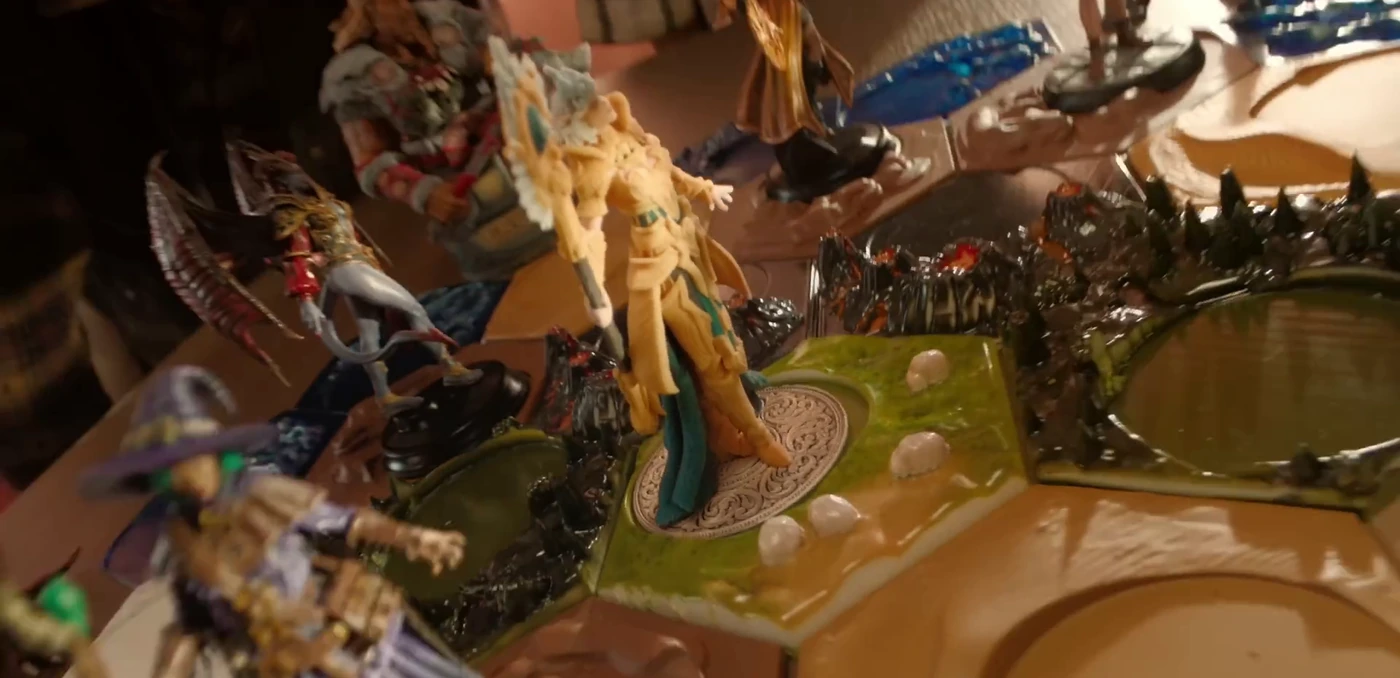
Models become part of an interactive experience within a complete tabletop setting.
An individual sample can show that printing is possible without explaining why someone would want the product. The models need to connect with users’ interests and relationships.
Building on the original father-and-son tabletop theme, Bella translated feedback about story, magic and character actions into second-round concept images for the team to discuss.
The tabletop world and interactive narrative remain, with terrain and groups of characters conveying creative freedom. The final film did not reproduce the concept’s fire-breathing effect scene for scene.
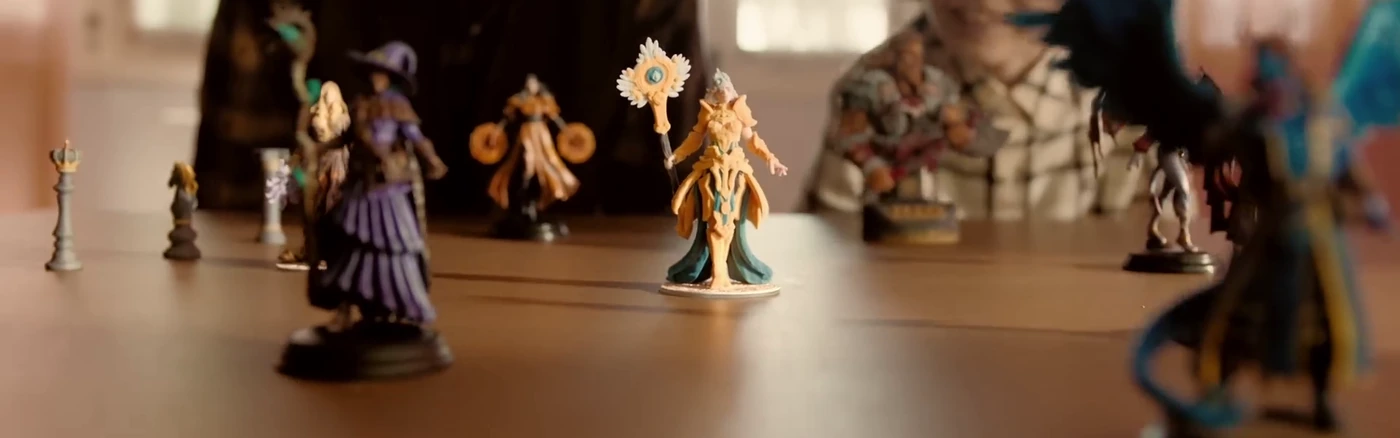
From showing an object to showing its use.Technical capability becomes understandable through the experience these models can create. Human interaction and the complete world connect the narrative.
Product capability: images to three-dimensional objects / Marketing task: make the process easier to understand and begin
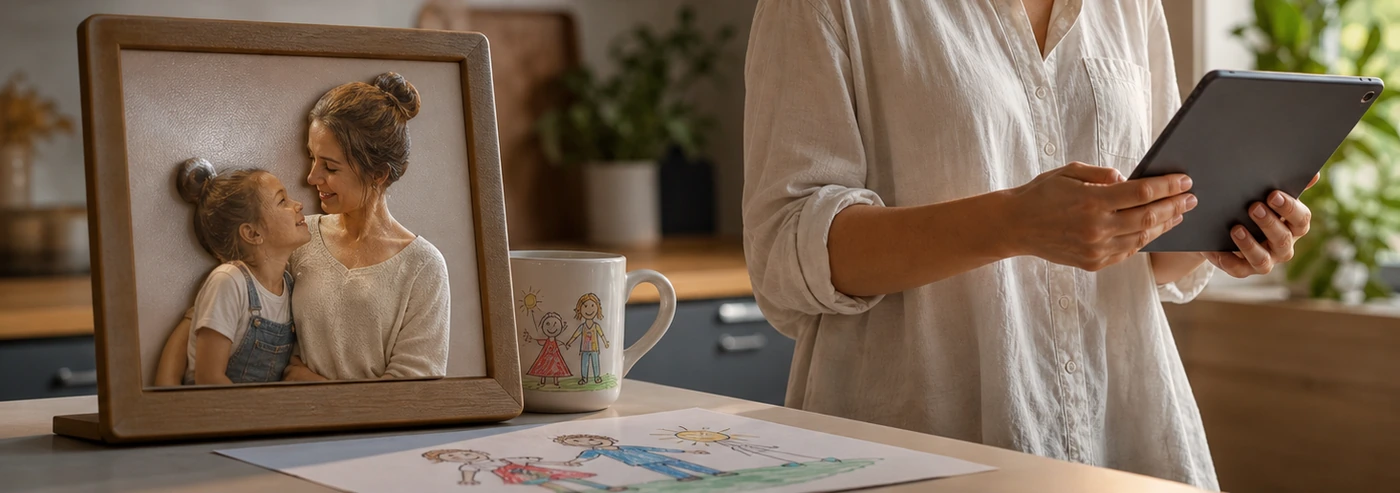
Bring everyday images, drawings and personalized objects together.
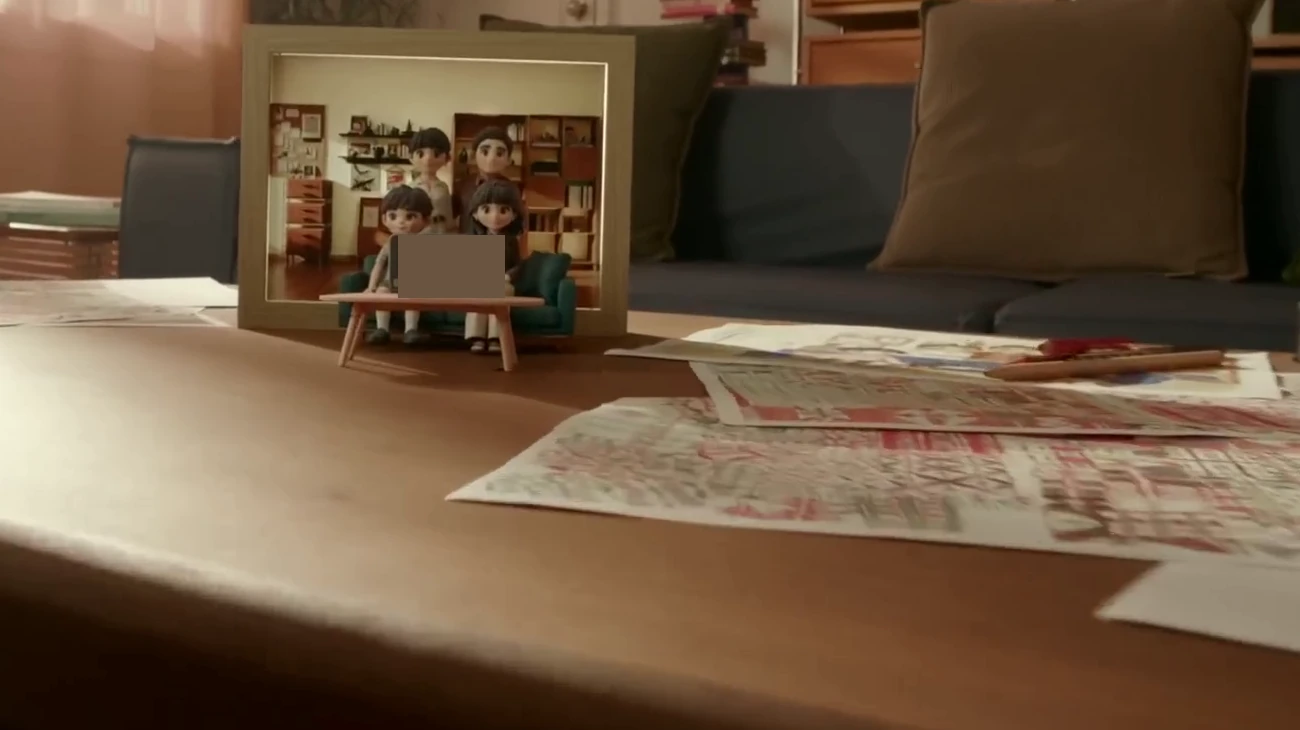
A family photo becomes a three-dimensional scene, making the result of modeling visible.
Software names and “AI modeling” alone are difficult to picture. Beginners need to understand where to start and what they can get at the end.
The review identified stacked software terms and recommended clarifying the creative process. The concept then placed family images, a child’s drawing and everyday objects into a use context.
The film shows taking a photo, generating a model and creating a three-dimensional family piece. It carries forward the value of turning personal memories into objects; its people and product forms do not replicate the concept exactly.
Image generation and the family narrative were already in the original script. This stage’s contribution was clearer expression and a more concrete setting. The solid-color patch in the frame removes small device information.
Product capability: raised texture and color / Marketing task: make the difference visually understandable

The artwork, viewer and act of close inspection establish an art-viewing experience.

The magnifier and macro detail make “three-dimensional” visible.
Texture height alone is hard to imagine. The specification needs translating into surface relief, light and the act of looking.
Following the original art and close-inspection direction, Bella added scene references, texture close-ups and scale suggestions, making tactility a concrete visual requirement.
The gallery gives the object an artistic context; the magnifier emphasizes texture detail. The setting and close-up together explain why it deserves attention.
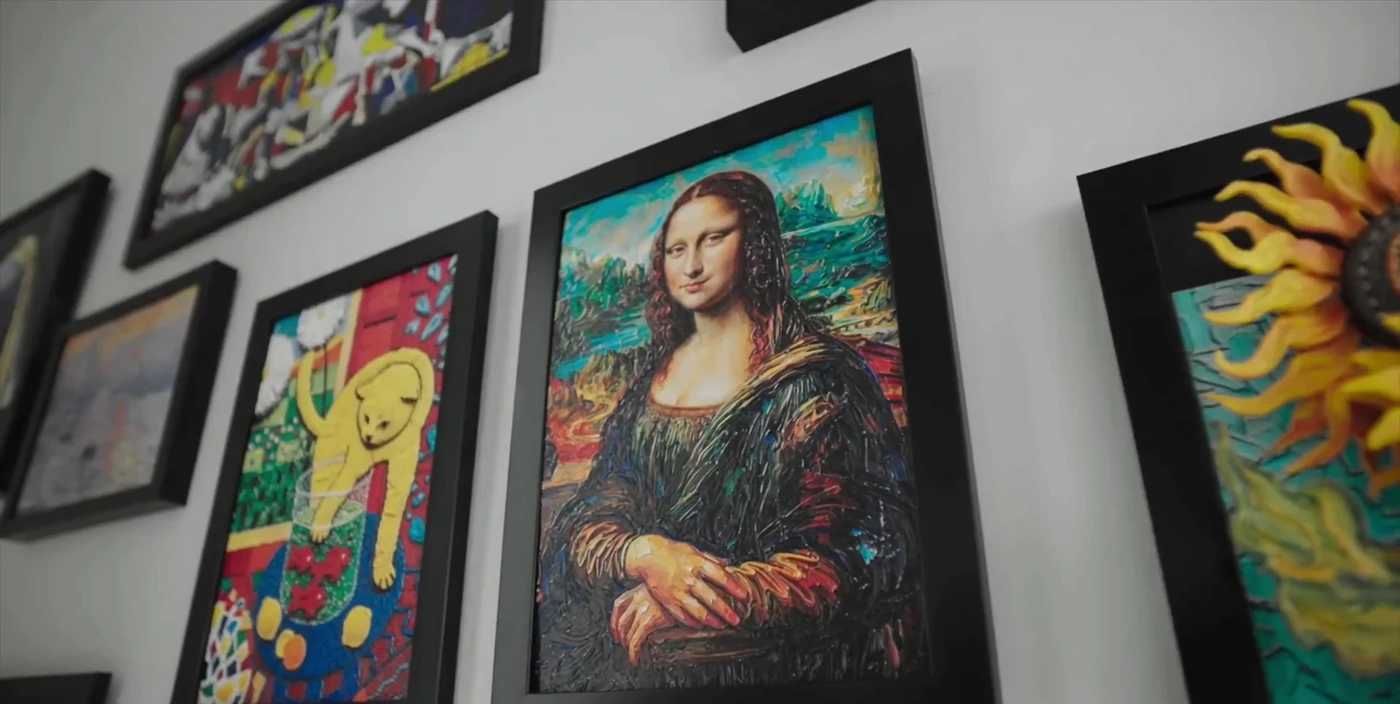
The setting gives meaning; the macro shot gives evidence.The creative work moves beyond “rich colors” to show how the pieces are created, displayed and appreciated.
Product capability: combining transparency and color / Marketing task: complete the explanation of an important capability

Recommend adding a transparent model so an important capability is not omitted.
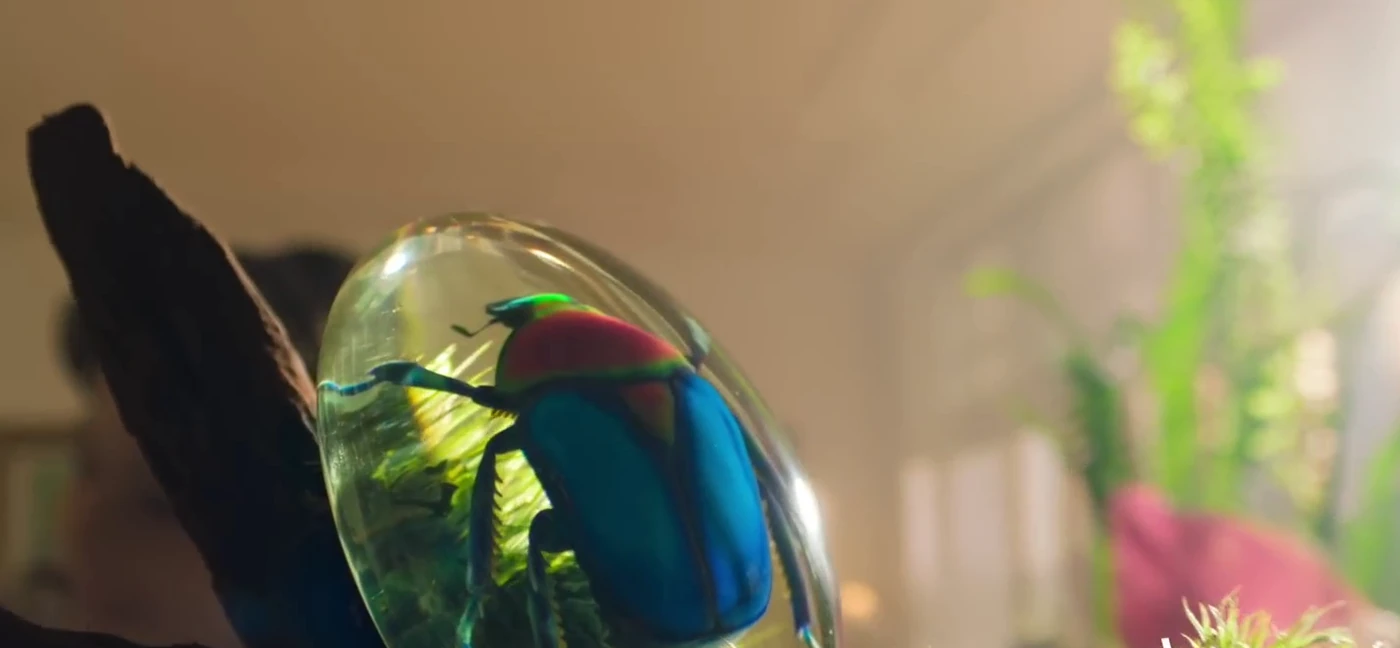
A transparent shell and colored internal structure make the combined capability immediately visible.
The review found that an important transparent-material capability was not clearly shown. A focus on full color alone would omit another area of creative possibility.
Add a transparent model and comparison-based visual references, turning an abstract material capability into an object viewers can see.
The released film includes a shot combining transparency and color. Its object differs from the concept reference, while communicating the same capability that needed a clearer explanation.
These comparisons show connected collaborative work: the original script, review, discussion, concepts and final production build on one another. Recommendations reaching execution demonstrate value; continuity across the campaign remains the central story.
05 / COPY THAT DOES A JOB
The TVC review compared page selling points with the film’s presentation. The “before” and “recommendation” descriptions below are anonymous summaries; observations were checked against the released film and page. Individual final lines are not simply attributed to one person’s original writing.
Retain strong shots and effective storytelling without changing them for its own sake.
Unpack technical terminology and explain why users should care.
Add the necessary labels or actions rather than asking viewers to infer the meaning.
Fill gaps in order of importance without turning the film into a specification list.
Several software names and “AI modeling” were crowded into a single on-screen text element.
Show the steps from an image to a model to a finished piece, explaining the value for someone getting started.
Release observation: around 01:20–01:28, the film shows a photo becoming a model and explains that beginners can start creating. The page separately covers creative software and multiple input methods.
Automatic cleaning, temperature control and ink-supply mechanisms appeared together without enough explanation.
Use a mechanism animation to show the maintenance process, followed by a clear statement about reducing manual maintenance work.
Release observation: around 02:24–02:32, the film connects cleaning and heating with reduced clogging risk. The page headline also emphasizes maintenance effort.
The original review found that transparent-material presentation was missing, leaving the explanation of differentiation incomplete.
Show it directly with a transparent object; material capability should not stay only in a specification table.
Release observation: around 00:26–00:30, the film clearly shows transparency combined with color; the page also gives this capability its own section. The final production team selected the specific object.
Texture specifications were present, but viewers lacked an intuitive sense of the thickness, surface and effect.
Add close-ups and references so the relief can be seen and the texture imagined.
Release observation: around 03:21, the film uses a magnifier to inspect detail; the page uses enlarged sections to show texture. The final presentation does not reproduce the concept’s scale reference exactly.
Several accessories and materials were implicit in the samples, but their individual uses were not explained.
Connect modules, materials and tasks so studios can understand the custom-production needs they could serve.
Release observation: around 01:56–02:10, the film connects customer photos, custom objects, batch production and module expansion in a sequence.
The original script had a strong opening built on changing forms, but needed a clearer overarching message and emotional ending.
Use the opening to establish creative range and the ending to return to what people can accomplish, rather than repeating a feature list.
Release observation: the film opens with different creative forms and closes on the value of making creation available to more people. The final slogan differs from the proposed version and cannot be described as a verbatim adoption.
A recommendation may also appear on the page without entering the main film. Text-to-model generation, for example, receives a separate section on the page. A complete campaign considers how information reaches the right medium, beyond whether it appears in one particular film.
06 / AFTER THE LAUNCH
Bella’s work continued after the campaign deliverables were handed over. Post-launch questions, feedback and new communication tasks fed into the same product understanding and content system.
01 / READ THE QUESTIONS
02 / CHOOSE THE RESPONSE
03 / UPDATE THE WORK
Those problems became reusable working requirements rather than being hidden.
Research quality
The first research round exposed gaps in dimensions and sources. The improvement was to define category criteria, read complete material, then resolve conflicts and unknowns, beyond adding more search results.
Communication quality
“Make it feel stronger” needs translating into shots, actions, props, space and emotion. Visual references gave the project owner and production team something specific to discuss.
Version quality
Milestone-video iterations included a regression in previously confirmed material. This led to content-completeness checks, version labels and human review before release.
07 / THE COLLABORATION MODEL
Integrated campaign capability means understanding and connecting several professional stages. Bella handles research, organization, recommendations and creative outputs; people and teams make key decisions and carry out final production.
BUSINESS OWNER
Set the business direction, supply and confirm product facts, judge priorities, give creative feedback, and decide trade-offs and external commitments.
CONTINUOUS MARKETING WORK
Carry context forward, research and verify information, build FAB and content structures, propose strategy, collaborate on copy, review scripts, produce concepts, follow feedback and capture reusable methods.
PRODUCTION & RELEASE
Provide existing ideas and content; execute product work, filming, design and post-production; then create and release final assets within project constraints.
The Agent’s business value lies in carrying information, judgment, assets and feedback across stages, reducing repeated explanations, messaging gaps and handover loss. It does not mean doing everyone’s job.
08 / WHAT CAN BE REUSED
The client’s material cannot be copied, but the working method can be reused. Breaking the campaign experience into modules that can be handed over, reviewed and reused retains more value than a few good prompts alone.
Download the campaign collaboration worksheetEditable Markdown template · No original client material
Agent fieldwork
goes beyond turning a prompt into a file.
It means carrying a body of work forward.
For teams launching a product, explaining complex features or coordinating content across channels, this case shows a practical division of work: an Agent contributes continuously while professional judgment and human feedback remain part of the process.
Explore AIelsen’s Agent and FDE delivery services ↗KEEP EXPLORING

Carry one round of product research into partnership development, channel execution and investor conversations.
Product reference sheet, selling-point priorities and keyword structure · Tiered creator pool and outreach copy
When a question arrives, support staff can start by reviewing a draft, then decide how to reply.
Reply drafts with source evidence and items to confirm · Human review integrated into the existing workspace

Explain how the tool reaches a recommendation so the next person can identify assumptions that need checking.
A comparison of documented rules and actual behavior · Code locations for key rules and configuration